
Set your financial goals
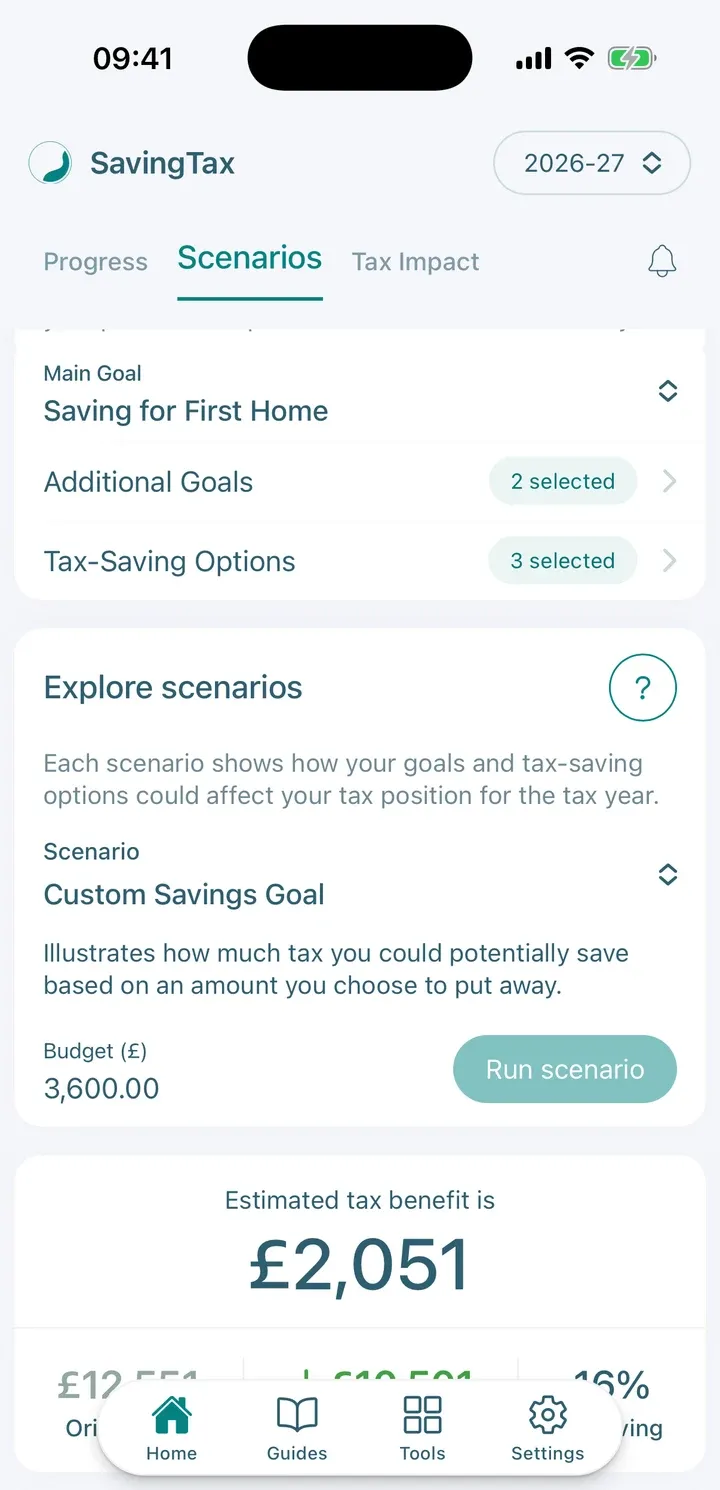
Choose your main goal, your budget and the tax-saving options you want in your plan.
Your goals tell SavingTax what you’re saving for, so it can suggest the tax-saving options that may fit. This is where you set your budget too.
You set your goals during setup, and you can change them later from Home.
Choose your main goal
- Open Your goals & options.
- Under Main Goal, tap Select main goal and pick one. Goals include buying a home, retirement, your children’s future and charitable giving.
On the free plan you choose one goal. Premium lets you add Additional Goals and plan around more than one at a time.

Set your budget
Enter your Budget (£): the amount you’ve set aside this tax year to put towards your goals. It’s a total for the year, not a monthly amount. For example, enter 3,600 to plan for about £300 a month. Tap the i next to it for the definition.
Choose your tax-saving options
Based on your goals, SavingTax highlights options that may be relevant to you, such as a Personal Pension (SIPP), a Lifetime ISA (LISA), a Junior SIPP or Gift Aid Giving. Switch on the ones you want in your plan. If you may be eligible, Tax Adjustments also offers Marriage Allowance.
On the free plan you only see the options that fit your main goal (for a home, the Lifetime ISA), and you can switch on one. Premium shows every option and lets you combine several in one plan.
Tip: You must choose a main goal before you can pick tax-saving options.

How the budget is shared out
When you have several goals or options, your main goal gets the biggest share (70%) and the rest is split between the others. Contribution limits can change the final amounts. For the full explanation, see How does SavingTax decide how to allocate my tax-saving budget?
SavingTax shows illustrations and estimates. It doesn’t recommend that you make any contribution.