
Track your progress
See how your contributions compare with your plan and how much tax relief you have built up.
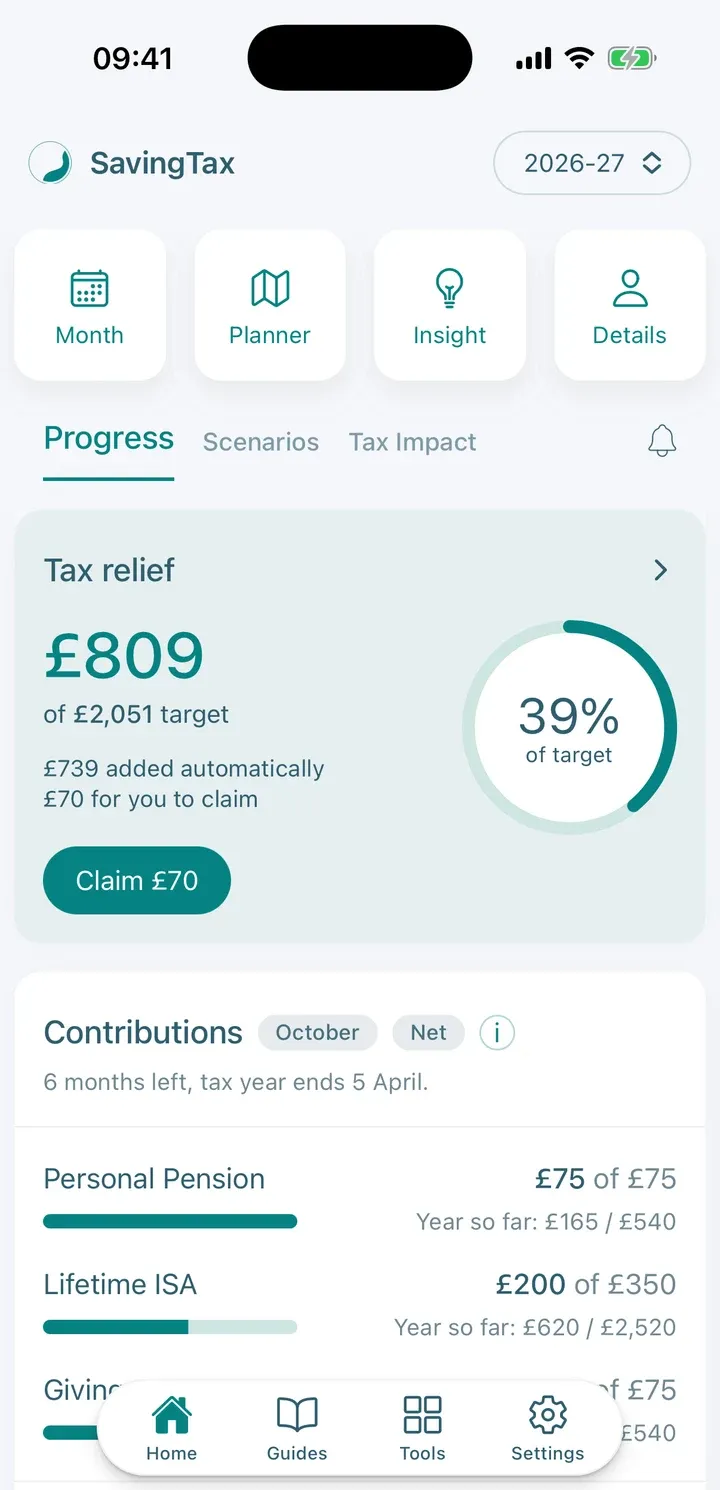
The Progress tab on Home shows how you’re doing against your plan for the tax year, and Your month shows the same for a single month.
The Progress tab
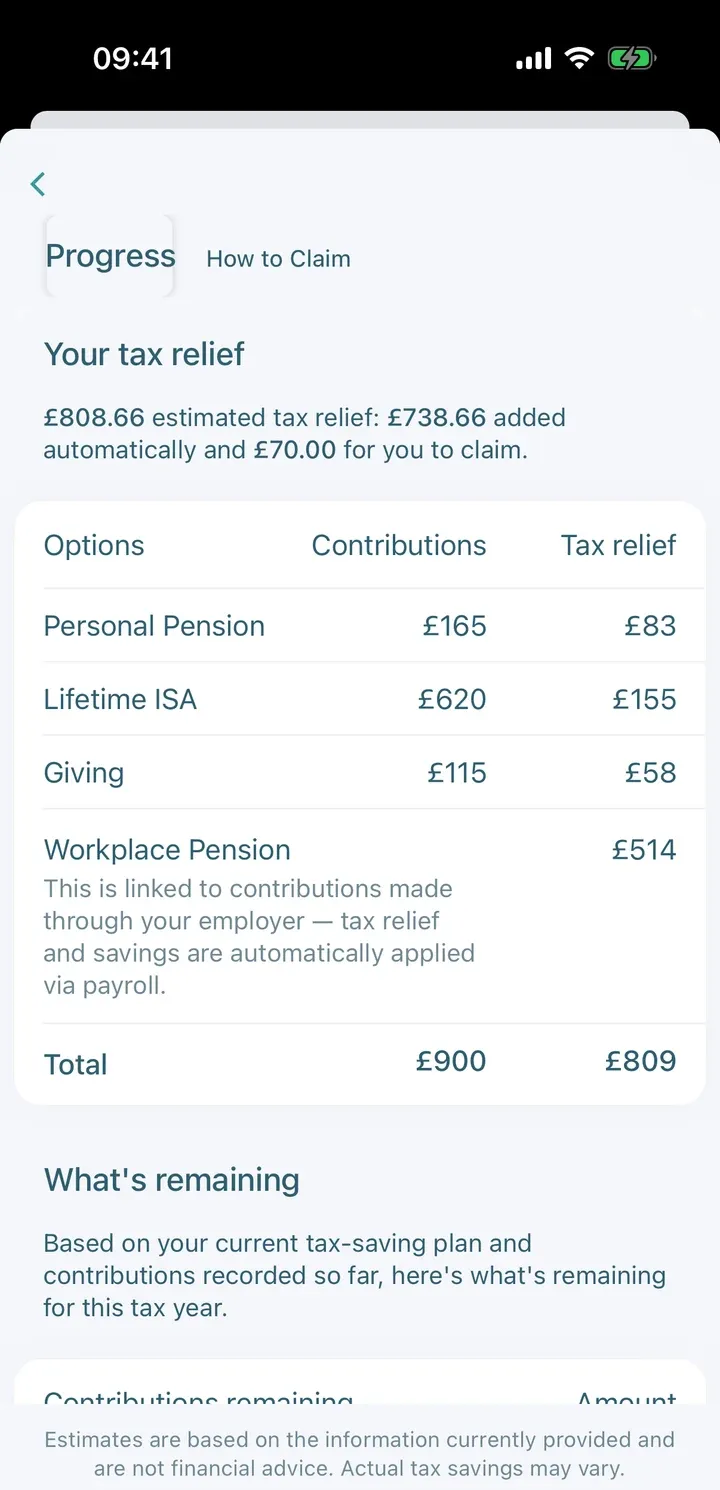
- Tax relief: how much relief you’ve built up so far. Tap it to open a breakdown by option, with your Contributions and the Tax relief each has earned.
- What’s Remaining (in the breakdown): the Contributions remaining in your plan and the Estimated tax relief you’d still get by completing it.
- Adjusted net income: how your contributions have changed it. This matters for things like the High Income Child Benefit Charge and the £100,000 personal allowance limit.
- Estimated Tax Savings: the total you could save, based on your plan.
If you haven’t logged anything yet, the Progress tab shows a Log a contribution button. See Record your contributions each month.
Your month
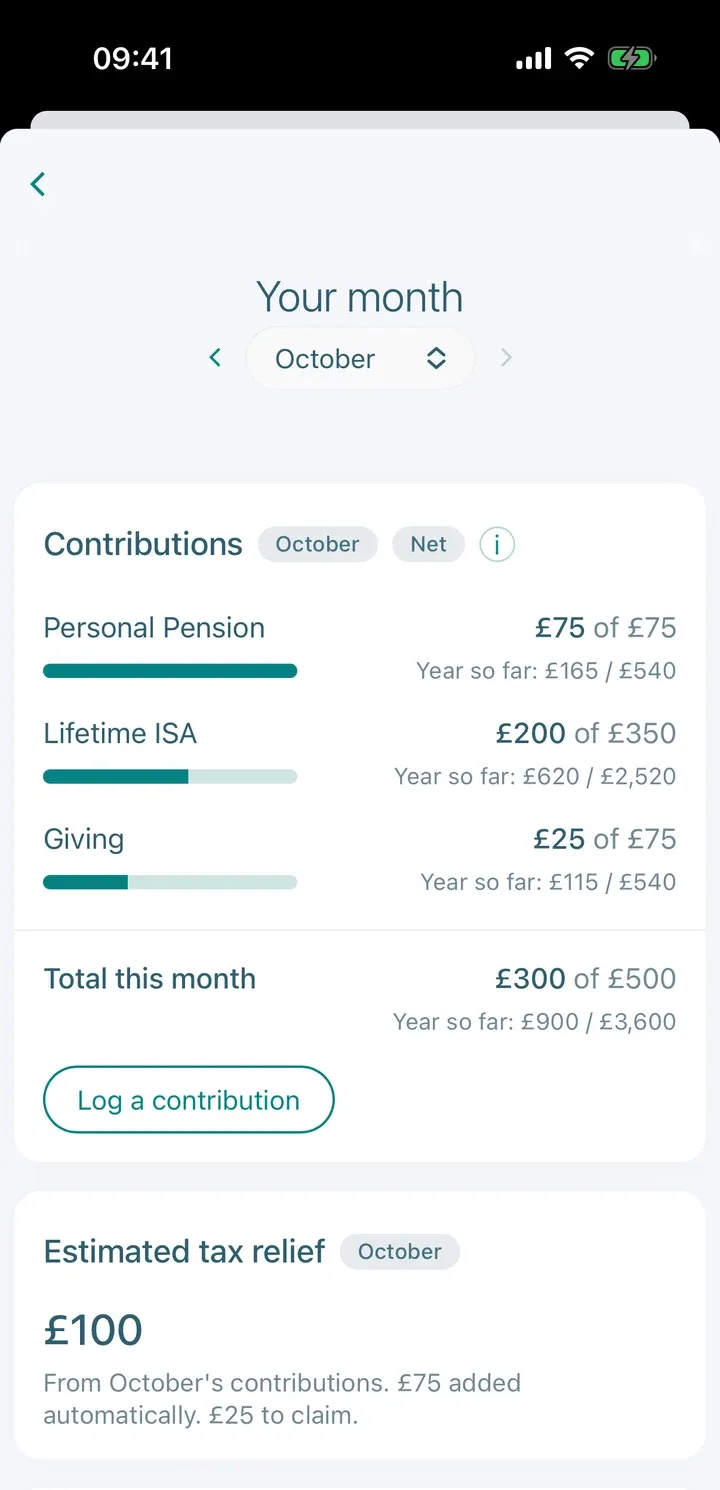
On Home, tap Month to open Your month:
- Contributions: each option’s progress for the month and for the year so far, with a bar. Target met appears when you’ve reached the year’s target.
- Estimated tax relief for the month.
- Your plan this month: your estimated take-home, any planned spend, your planned contributions and what’s Left in plan. Tap the i to see how it’s worked out.
Your monthly plan updates when your income, contributions or goals change. Anything not yet contributed from earlier months is spread over the months left, to keep you in line with your annual plan.
Other tax years
On the free plan you can work on the current tax year. Premium lets you switch between tax years and compare them.